
Guide
Troubleshoot a workflow that will not advance
Find the failing layer, reproduce with disposable data, and verify the saved result.
Demo baseline · November 13, 2026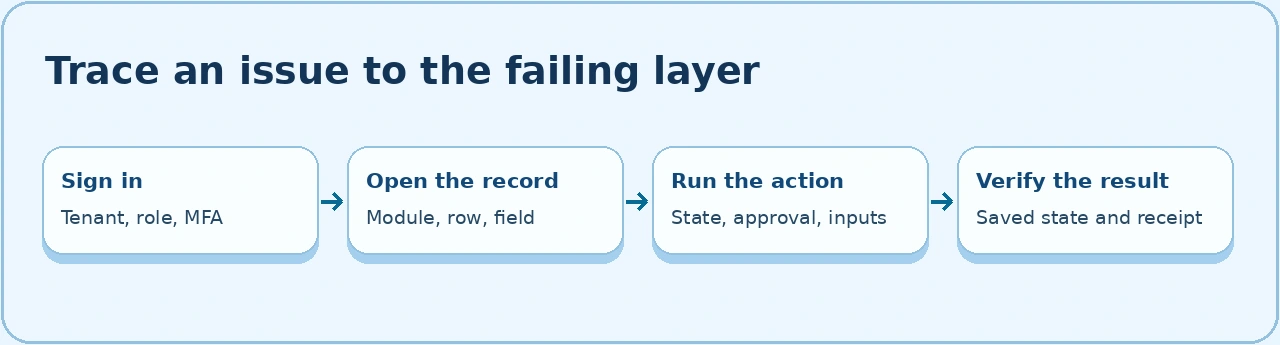
Capture the failure
- Record the tenant, acting user’s role, workspace, record number, current state, intended action, and timestamp including time zone. Avoid putting personnel details, session cookies, or authorization headers in a ticket.
- Open Developer Tools → Network and enable Preserve log. Repeat the smallest safe step on a disposable record. Select the request that matches the button or form submission. Capture the method, path, status, response error code, and correlation ID if returned.
- Reopen the record before retrying the action. Inspect the saved state, activity, and linked records. If the action contacted a provider, check its receipt using the original ID.
Follow the response
| Response | What to check | What proves recovery |
|---|---|---|
Redirect or 401 |
Sign in to the intended tenant and complete MFA. Reopen the original destination. | The original authenticated request reaches the intended view. |
403 |
Compare the intended role, row and field policies, service or company scope, and approval eligibility. | A matching account can act on a disposable record. An out-of-scope account is still denied. |
400 or 422 |
Compare the response with the form field definitions. Check required links, actual choice values, and the current workflow state. | The corrected action saves once and the error stops. |
409 |
Reload the order or record. Compare the latest version, approval state, other writes, and any provider receipt. | Retry against the latest version and confirm there is one outcome. |
429 |
Wait for the indicated interval. Use the on-screen retry for a read. Confirm whether a write already succeeded before repeating it. | The required data reloads and the saved form values remain available. |
Gateway 404 |
Compare the HTTP method and path with the active API Gateway config. | The documented route reaches the application session gate. |
5xx or timeout |
Compare the current record and receipt, isolate the failed service, and collect the error ID. | The endpoint and saved outcome agree after the repair. |
Verify the fix with two identities
- Repeat the action as the intended staff role on a new disposable record. Verify the next state, actor, record history, and dependent record.
- Repeat the same action as a role that should be denied. Confirm the denial and compare the state and receipts to ensure the attempt changed nothing.
- Record the app revision, expected and observed results, original and final state, protected role, and any provider evidence. Use the work item to track any branch you could not exercise.
Related procedures include access diagnosis, normal change authorization, HR case intake, and ERP reconciliation.